I thought I’d start a blog to document some of the new features we’re building into Fast Feedback. We’ve recently been awarded £20,000 by the Shine Trust to continue improving the platform, and I’ll be sharing updates here as we go.
One of the best parts about working on this project is seeing small changes to the app have a direct impact in the classroom. All answers are now marked by AI — giving each student feedback, reteach content, and a short retest. Doing that manually for a whole class would take hours. Now, it happens automatically and instantly.
One of the hardest parts of formative assessment is knowing two things: Has learning actually moved forward after feedback? and How do we find the time to mark in the first place? I’m now confident that Fast Feedback genuinely helps teachers with both — so I thought I’d show an example using a multiple-choice quiz from a class I taught recently.
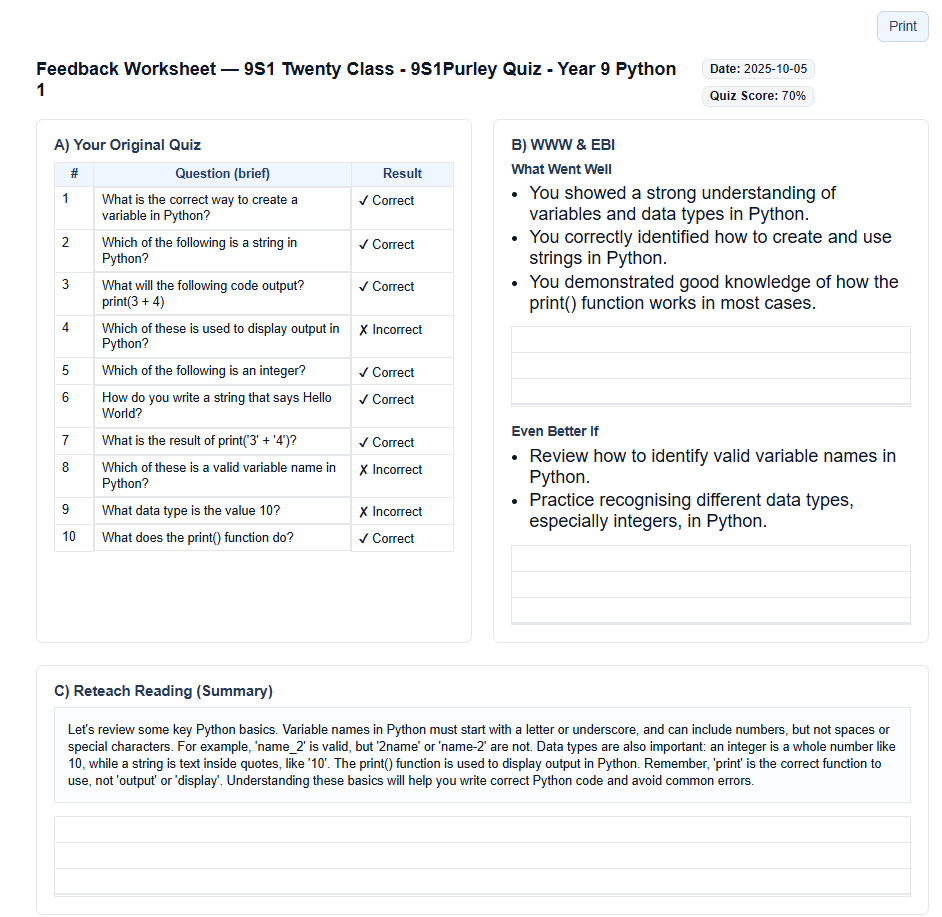
The multiple-choice marking pipeline is a good example of how it all works in practice. In the screenshot above, you can see the Question Level Analysis (QLA) where incorrect answers are highlighted. When the teacher “marks” the quiz, Fast Feedback automatically writes personalised WWW (“What Went Well”) and EBI (“Even Better If”) statements, alongside a short reading to address the misconception. It also generates two reteach questions based on what the student struggled with — and an extension task if they got everything right. Teachers can double-check and edit all of this before assigning it to students.
In this example, the student had trouble with variable names and recognising different data types. The reteach reading targets exactly that gap, and the two reteach questions then check whether the student has understood. Teachers can either get students to complete this on the platform — where improvement is automatically measured — or print a feedback worksheet like the one shown here for students to complete in their books.
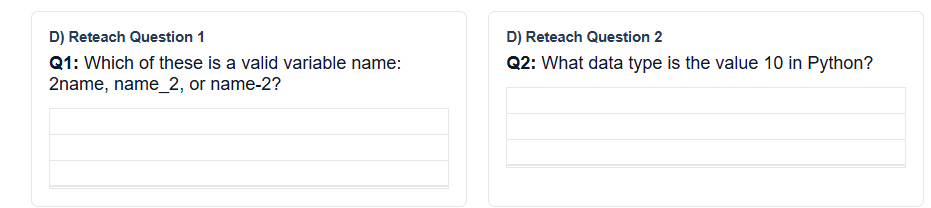
We’ve been careful not to just give pupils the exact same question again. Each reteach question is new, but it retests the same knowledge or skill that caused the error originally. That way, we’re not training students to memorise a single question — we’re checking whether the misunderstanding itself has been resolved.
As Dylan Wiliam reminds us, the purpose of assessment is to improve teaching and learning, not to grade them. Fast Feedback is built around that same responsive teaching principle: check for understanding → respond to what you see → re-assess to see if it worked. The difference is that now, the AI handles the marking and analysis, freeing teachers to focus on reteaching and supporting pupils who need it most.
If you’re interested in hearing more or want to get involved, drop me an email at tom@fastfeedback.co.uk.
Written by Tom Rye, Deputy Headteacher and creator of Fast Feedback.